

TL;DR:
- Recording detailed iteration records with fixed fields and clear naming ensures traceability and compliance. Documenting rejected approaches prevents repeated errors and preserves reasoning for future development. Using structured templates and enforcing version control streamlines laboratory workflows, audits, and regulatory adherence.
Every iteration entry needs ten fields to be reconstruction-ready: iteration ID, date, owner, precise delta (what changed and units), justification (why), sensory observations with timing, objective test results linked to CoAs, sample/vial ID, linked batch IDs, and effective status. The one rule that holds all of it together: always record the change, the reason, and the verification result so any team member can rebuild the decision path without a verbal handoff.
Copy this checklist before your next lab session:
- Iteration ID (e.g., OMEGA-V03-2026-05-17)
- Date and time of change
- Owner (who made the call)
- Delta: what changed, in what units, from what baseline
- Justification: why this change was made
- Sensory notes at minute 0, 1h, 4h, and 24h
- Objective results: HPLC/assay summary, CoA link, pass/fail
- Sample vial ID and linked batch/lot number
- Decision outcome: promote, branch, or reject
- Effective status: draft, approved, or superseded
Pro Tip: Set up your log template before the experiment starts, not after. Blank fields filled in retrospect are the leading cause of incomplete iteration records.
Table of Contents
- Why documenting formulation iterations matters for your team
- What fields does every iteration entry need?
- Two copyable templates: compact log and full documentary entry
- What does a filled iteration entry look like?
- How should you name versions and organize your files?
- How do you record sensory observations and lab data?
- How do you document rejected approaches and dead ends?
- How do iteration records connect to FDA/DSHEA compliance?
- What tools should you use to implement this system?
- What governance rules keep your records reliable?
- Key Takeaways
- Why teams still fail at iteration documentation
- Formlypro gives your team a built-in documentation system
- Useful sources and further reading
Why documenting formulation iterations matters for your team
The practical case for documentary-style records goes beyond compliance. Version control for formula iterations requires separating the composition from the observation log so anyone can reconstruct the development path without relying on verbal handoffs. That separation is what makes records usable six months later, when the original formulator has moved on.
On the regulatory side, a recipe traceability system must withstand 21 CFR Part 111 and Part 117 scrutiny, linking versioned recipes to lots, shipments, and complaints. During a CAPA or a consumer complaint, the question is always: which batch used which formula version, and what was different about it? Without documented iterations, that answer takes days to reconstruct.
The productivity argument is just as strong. Teams that capture rejected alternatives and their rationale avoid repeating unproductive cycles. The reasoning path is often more valuable than the final recipe state.
What fields does every iteration entry need?
A complete entry lives across three documents: the formula master (BOM), the iteration log, and the physical sample label. Here is how to split the fields.

Formula master (BOM): project name, parent formula version, ingredient names and quantities with units, processing parameters, and effective date or first-lot boundary.
Iteration log: iteration ID, date/time, owner, branch tag, precise delta (ingredient name + old value + new value + unit), justification, expected impact, change classification (major/minor/patch), approval status, linked batch/lot IDs, and retention flag.
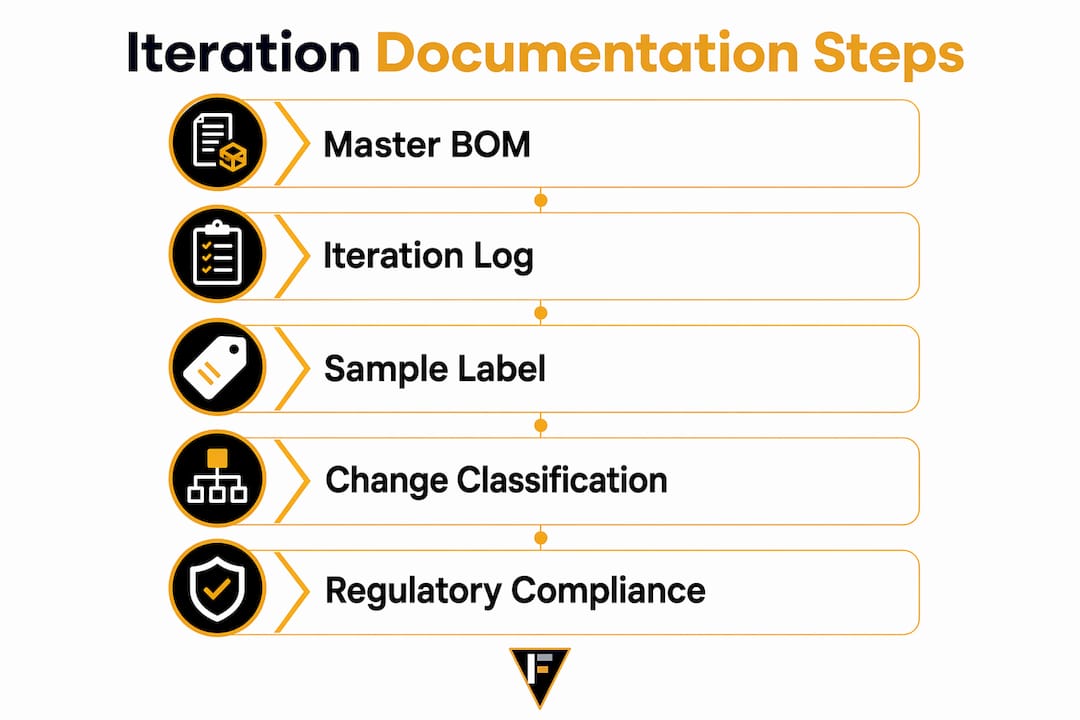
Sample label: iteration ID, vial ID, date prepared, owner initials, and a short delta summary (e.g., "Vit D3 +200 IU").
For machine-readability, use controlled vocabularies for status fields: draft, approved, superseded. Use ISO 8601 dates (YYYY-MM-DD). Keep unit fields discrete — never mix "mg" and "milligrams" in the same column.
Pro Tip: Classify every change as major, minor, or patch at the time of entry. Major changes (new ingredient, dose threshold crossed) trigger formal change control. Minor changes (supplier swap, same spec) need a documented rationale. Patch changes (typo fix, unit correction) need a note and a timestamp.
Two copyable templates: compact log and full documentary entry
Compact log (rapid lab entries)
Use this for daily bench work. It points to the full entry rather than replacing it.
| Field | Example |
|---|---|
| Iteration ID | OMEGA-V03-2026-05-17 |
| Date | 2026-05-17 |
| Owner | J. Rivera |
| Delta | Vit D3: 400 IU → 600 IU per serving |
| Quick sensory note | Slight chalky finish at 1h; acceptable |
| Pass/Fail | Pending HPLC |
| Link to full entry | /records/OMEGA/V03/full-entry.md |
Full documentary entry
Use this for every approved change and any iteration that advances to a new version. It is the authoritative record.
| Field | Content |
|---|---|
| Project | OmegaBalance Soft-Gel |
| Iteration ID | OMEGA-V03-2026-05-17 |
| Parent version | OMEGA-V02 |
| Branch tag | potency-increase |
| Date/Time | 2026-05-17 |
| Owner | J. Rivera |
| Delta | Vit D3: 400 IU → 600 IU (cholecalciferol, Supplier A, Lot #SPA-2244) |
| Justification | Supplier potency data showed degradation over time; increase to maintain label claim |
| Expected impact | Assay result ≥100% label claim at 24-month stability endpoint |
| Sensory observations | See sensory table below |
| Objective results | HPLC assay label claim; CoA attached (link) |
| Sample vial ID | VL-OMEGA-V03 |
| Linked batch | WO-2026 |
| Change classification | Minor |
| Approval status | Approved |
| Effective date | 2026-06-01 (Lot onward) |
| Retention flag | Retain 3 years post-discontinuation |
What does a filled iteration entry look like?
Here is a realistic entry for a soft-gel vitamin D3 iteration following a supplier swap.
| Field | Entry |
|---|---|
| Iteration ID | OMEGA-V03-2026-05-17 |
| What changed | Vit D3 dose: 400 IU → 600 IU; supplier: Supplier A → Supplier B (same spec, higher potency assay) |
| Why | Stability data showed potency loss at month 18 under accelerated conditions |
| Sensory — 0 min | Neutral; no off-notes |
| Sensory — 1h | Slight chalky finish; within panel tolerance |
| Sensory — 4h | No residual taste |
| Sensory — 24h | No change from 4h observation |
| HPLC assay | 98.4% of label claim (limit: ≥90%) — Pass |
| CoA link | /attachments/OMEGA-V03-CoA-SupplierB.pdf |
| Sample vial ID | VL-OMEGA-V03 |
| Linked batch | WO-2026 |
| Decision | Promote to V03; retire V02 after Lot number |
| Approved by | QA Lead, 2026-05 |
Fields marked required for compliance: iteration ID, delta, justification, objective results with CoA link, linked batch, approval status, and effective date. Sensory notes are required but may be qualitative when a numeric panel is not feasible.
Pro Tip: Log sensory observations at four fixed time points: minute 0, 1h, 4h, and 24h. Timed entries let you compare iterations on the same scale and catch delayed off-notes that a single observation misses.
How should you name versions and organize your files?
Use a standardized syntax across every artifact: spreadsheets, vials, and master recipes.
Recommended syntax: [Project]_V[##]_[YYYY-MM-DD]_[branch]
Example: OMEGA_V03_2026-05-17_potency-increase
Each token serves a purpose. The project prefix keeps files sortable by product. The zero-padded version number (V03, not V3) sorts correctly in any file system. The ISO date makes the timeline unambiguous. The branch tag identifies parallel development lines without overwriting the main version. Machine-readable naming prevents the ambiguity that kills traceability across spreadsheets, vials, and electronic records.
Folder layout:
/OMEGA
  /V01 — /formula-master, /sample-records, /test-attachments
  /V02 — /formula-master, /sample-records, /test-attachments
  /V03 — /formula-master, /sample-records, /test-attachments
  /CHANGES.md
Branch when you are testing a parallel hypothesis that may not merge into the main line. Edit the main line only for approved, sequential changes. Merge a branch by creating a new version entry that references the branch tag and documents the merge rationale.
Pro Tip: Ban names like final_v2_reallyfinal.xlsx. Enforce the rigid syntax with a shared template. One ad-hoc name in a folder of 40 files breaks every sort and search.
How do you record sensory observations and lab data?
Sensory data belongs in the iteration log as structured fields, not free-text comments. Use a single-blind panel when possible, record observations at fixed time points (minute 0, 1h, 4h, 24h), and convert panel results to a numeric scale (e.g., 1–5 for intensity, 1–5 for acceptability) so iterations are comparable.
For lab data, every result entry needs: analytical method, lab ID, CoA link, unit, result value, acceptance limit, and pass/fail flag. Raw data files go in /test-attachments with a filename that mirrors the iteration ID.
| Analyte | Method | Result | Limit | Pass/Fail | CoA Link |
|---|---|---|---|---|---|
| Vit D3 | HPLC-UV | Label claim assay | ≥90% LC | Pass | [CoA-V03.pdf] |
| Heavy metals | ICP-MS | Below detection limit for Pb | Below 1 ppm | Pass | [CoA-V03.pdf] |
For submitting formulations for testing, attach the CoA to the iteration record at the time results are received, not at approval. Late attachments create audit gaps.
How do you document rejected approaches and dead ends?
Rejected alternatives are the most underused asset in formulation development. Recording the reasoning path prevents teams from repeating unproductive cycles and gives future developers the context they need when revisiting a formula.
Use a two-layer system. The CHANGES.md index file at the project root holds one-line entries for every iteration: version ID, date, outcome, and a link to the full entry. For major forks, a narrative page explains what was tried, why it failed, who evaluated it, and what verification result drove the rejection.
Fields for a rejected alternative entry:
- What was tried (ingredient, dose, process parameter)
- Why it was tried (hypothesis)
- Verification method and result
- Who evaluated it and when
- Rejection reason (specific, not "did not work")
- Branch tag: mark as
rejectedand archive with the rejection reason visible in the filename
Tag rejected branches clearly so they appear in searches but do not clutter the active version lineage.
How do iteration records connect to FDA/DSHEA compliance?
Every iteration field eventually flows into a formal system. The path looks like this: the formula master feeds the PLM/recipe master, which routes through a Management of Change (MOC) process before the MES or eBMR executes production. Label masters and nutrition panels link to the approved recipe version, so a label change triggers its own version entry. Linking labels to recipe versions means you can always identify which label was active for any packaging event.
Change classification drives the compliance requirement. Major changes (new ingredient, dose outside established range, new supplier without equivalency data) require validation or a process performance qualification before the new version goes live. Minor changes need documented rationale and QA sign-off. Patch changes need a timestamped note.
For compliance-first formulation work, the compliance checklist for each iteration should confirm: effective date and first-lot boundary are set, QA approval is recorded, CoA is attached, and the audit trail is immutable. Freezing a recipe turns it into an authoritative control document; any post-freeze edit must trigger formal change control to maintain eBMR integrity.
Recipe versioning through change control ties Document Control, MOC, MES, and ERP together. Define major/minor/patch classifications upfront and set effective dates or lot boundaries for every cutover.
What tools should you use to implement this system?
The right tool depends on your team size and regulatory exposure, not on what looks most sophisticated.
Spreadsheet + CHANGES.md: the lowest-friction starting point. One master spreadsheet per product with locked column headers, a shared CHANGES.md index, and a /test-attachments folder. Works for early-stage teams with fewer than five active products. The upgrade trigger is when version conflicts or access-control gaps appear.
ELN/PLM: purpose-built for controlled recipes. Enforces templates, routes approvals, and maintains immutable audit trails. The right choice once you have multiple products in concurrent development or a contract manufacturer requiring formal change packages.
LIMS: handles lab data, CoA management, and stability study records. Integrates with PLM to close the loop between test results and recipe versions.
Migration checklist when moving from spreadsheets to PLM:
- Inventory all current files and identify the single source of truth for each product.
- Retire shadow spreadsheets by archiving them with a "superseded" flag.
- Map interfaces: PLM feeds MES, MES feeds LIMS, LIMS returns results to PLM.
- Validate data flows with one pilot product before migrating the full catalog.
- Train every team member on the new system before go-live.
What governance rules keep your records reliable?
Access controls are the first line of defense. Working drafts are editable by the formulator and their direct team. Once a version reaches "approved" status, only QA can modify it, and any modification triggers a new version entry. Production teams get read-only access to approved versions.
Audit trail requirements for supplement manufacturers include unique user identification, e-signatures for approvals, synchronized timestamps, and immutable logs. These are not optional for 21 CFR Part 11 compliance when records are electronic.
Retention: keep formulation records for at least three years post-discontinuation for dietary supplements under 21 CFR Part 111. For products with stability claims, retain records through the last lot's expiration date plus one year.
Training cadence: onboard new team members with a documented walkthrough of the naming convention, template fields, and the CHANGES.md pattern. Run a quarterly audit of five random iteration entries against the canonical schema. Shadow spreadsheets are the most common governance failure; a quarterly check catches them before they become the de facto record.
Key Takeaways
A complete, reconstruction-ready iteration record requires ten canonical fields, a machine-readable naming convention, and a CHANGES.md index that captures both approved changes and rejected alternatives.
| Point | Details |
|---|---|
| Ten canonical fields | Every entry needs iteration ID, date, owner, delta, justification, sensory notes, lab results with CoA link, vial ID, batch linkage, and effective status. |
| Naming convention | Use [Project]_V[##]_[YYYY-MM-DD]_[branch] across spreadsheets, vials, and master recipes for machine-readable traceability. |
| Document rejected paths | Record what was tried, why it failed, and who evaluated it; this prevents teams from repeating unproductive experiments. |
| Compliance linkage | Set an effective date and first-lot boundary for every approved change; attach CoAs at the time results are received, not at approval. |
| Formlypro | Formlypro enforces templates, version IDs, and compliance workflows inside an 8-phase product development system built for supplement and wellness brands. |
Why teams still fail at iteration documentation
The failure mode I see most often is not laziness. It is a naming problem that compounds into a reasoning problem. A folder full of final_v2_FINAL_USE_THIS.xlsx files is not just messy; it is a signal that the team never agreed on what a version actually means. And when the naming breaks down, the reasoning path disappears with it. Nobody writes "we rejected the 800 IU dose because the stability model predicted a 20% overage at month 24" in a file called final_USE_THIS. They write it nowhere.
The second failure is treating the iteration log as a compliance artifact rather than a working tool. Records written for an auditor read like they were written for an auditor: passive, vague, and stripped of the actual reasoning. The teams that get the most value from their documentation write for the next developer on the project, not for an inspector. That shift in audience changes everything about what gets recorded.
For deeper reading on building a formulation process that holds up at scale, the formulation iteration process guide on the Formlypro blog covers the full development arc from ideation through production handoff.
Formlypro gives your team a built-in documentation system
Rebuilding a documentation system from scratch in spreadsheets takes weeks and still leaves gaps. Formlypro's platform enforces the canonical fields, naming conventions, and version IDs described in this guide from day one. Every formula iteration is logged with structured fields, linked to compliance documentation, and tied to your ingredient intelligence and supplier data automatically.
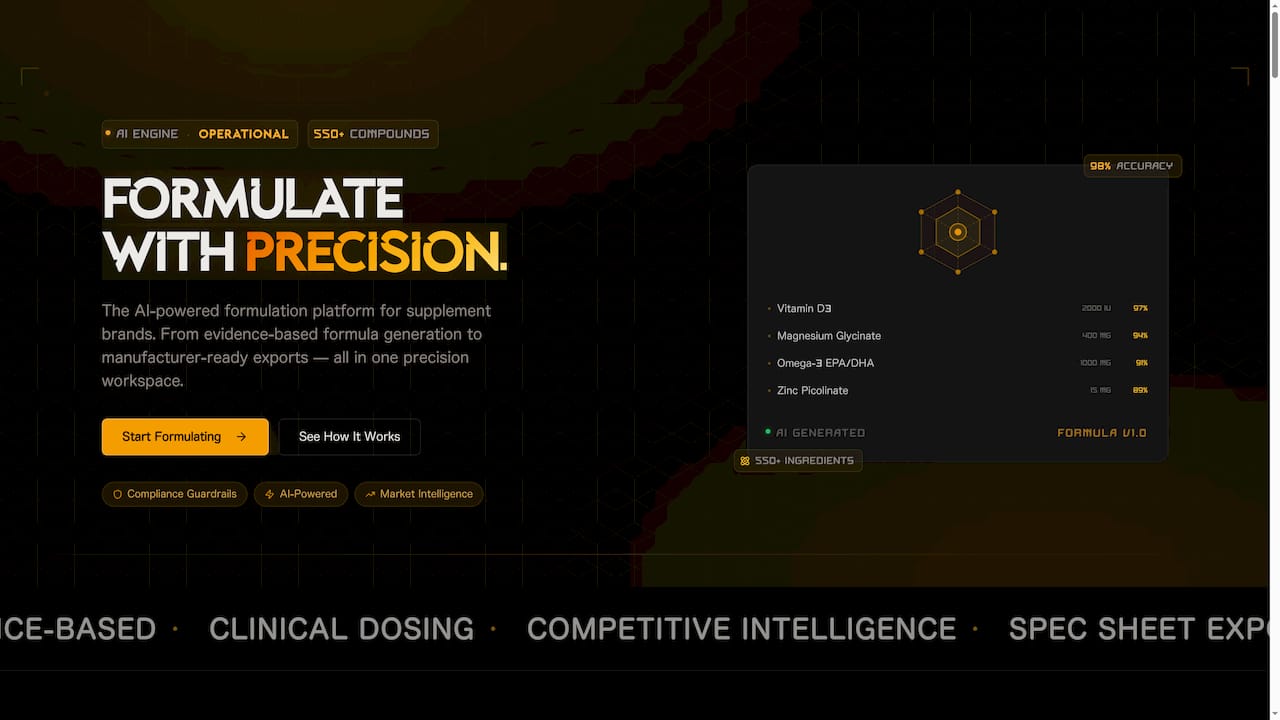
The 8-phase product development workflow moves your team from ideation through formulation, stability testing, compliance review, and production handoff with every iteration record attached at the right stage. When a contract manufacturer asks for a change package or an auditor requests batch genealogy, the record is already there.
Start building audit-ready formulations with Formlypro and cut the time your team spends reconstructing decisions from scratch.
Useful sources and further reading
The sources below back the technical and regulatory recommendations in this guide.
- Version Control for Formula Iterations: Covers the discipline of separating composition from observation logs and the four-step practice for clean iteration history.
- Capture the Reasoning Path, Not the Final State: The source for the CHANGES.md pattern, machine-readable naming syntax, and the case for documenting rejected alternatives.
- Recipe Traceability System: Explains how versioned recipes link to lots, labels, and complaints under 21 CFR Part 111/117, and the audit-trail requirements for electronic records.
- Recipe Versioning: Change Control for Formulas: Details the major/minor/patch classification system and how effective dates and lot boundaries work in a PLM/MES/ERP environment.
- Enforcing Recipes as Authoritative Control Documents: The case for freezing approved recipes and requiring formal change control for any post-freeze edits.
- SOP for Documentation of Formulation Development: A pharma-grade SOP template covering Formulation Development Records, Change Logs, and Final Formulation Reports with example annexures.